uploaded 2 days ago
Simple HTTP metrics dashboard for ESP-IDF with mDNS discovery
Readme
# idf-webpanel
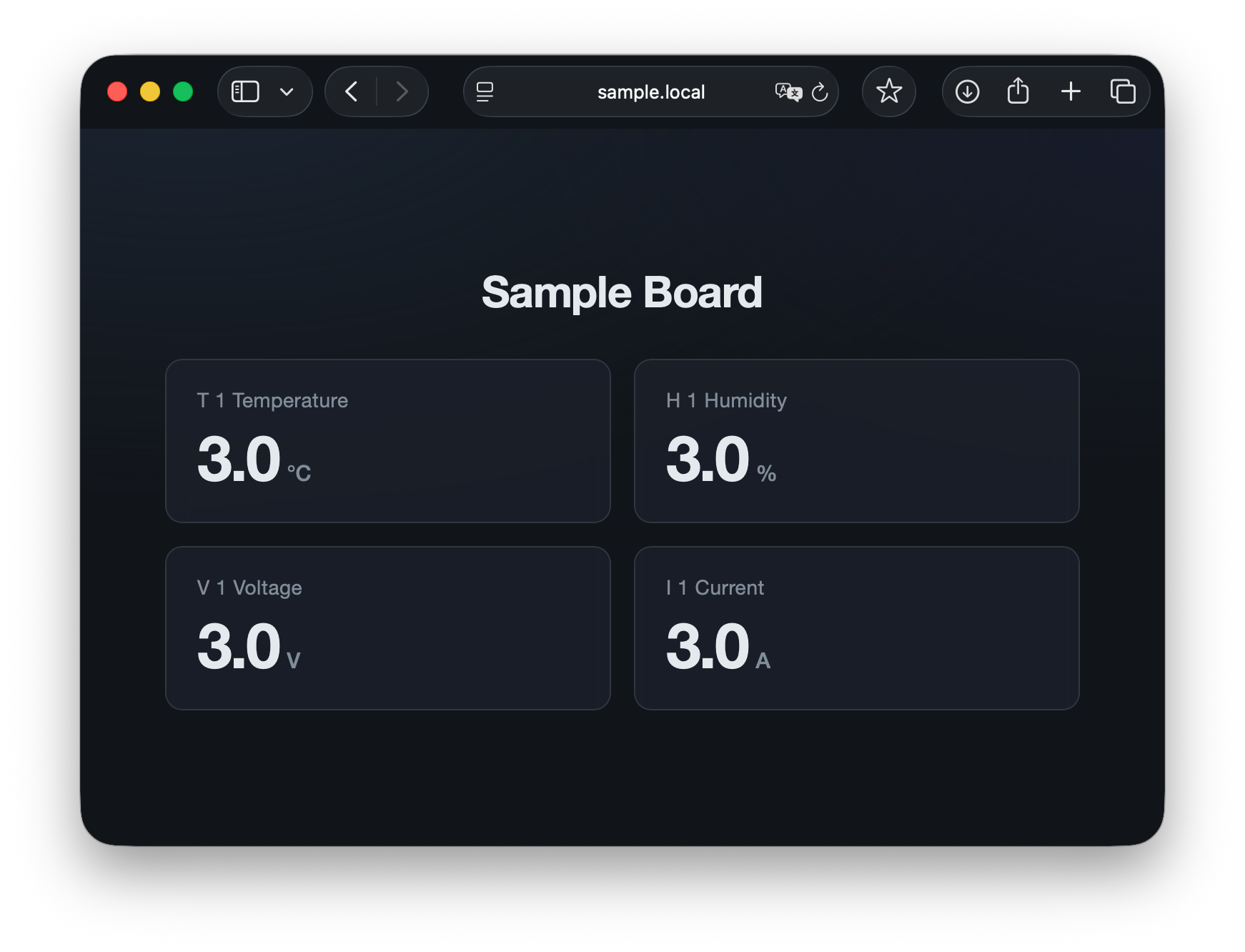
A simple metrics panel for ESP-IDF.
## Quick start (`examples/panel`)
Build and flash `examples/panel` to run the sample dashboard.
### 1. Configure Wi-Fi in sdkconfig
Set the SSID and password via `protocol_examples_common`.
```bash
cd examples/panel
idf.py menuconfig
```
Configure these options:
- `Example Connection Configuration` → `WiFi SSID`
- `Example Connection Configuration` → `WiFi Password`
### 2. Build and start the ESP
```bash
idf.py set-target esp32 # change to match your target
idf.py build
idf.py -p PORT flash monitor
```
Replace `PORT` with your serial port (e.g. `/dev/ttyUSB0`, `/dev/cu.usbserial-*`).
After boot, the serial log shows Wi-Fi connection and mDNS readiness.
### 3. Open in a browser
From a PC or phone on the same network, open:
```
http://sample.local/
```
> **Note:** If mDNS (`.local`) is unavailable, use the IP address printed in the serial log instead.
## What the sample does
`examples/panel/main/main.cpp` declares the dashboard layout and feeds live values into it.
### Declarative UI
Define a `Board` with cards (id, title, unit, decimals):
```cpp
panel::Board s_panel = panel::Board{
"Sample Board",
{
{"t_1", "T 1 Temperature", "°C", 1},
{"h_1", "H 1 Humidity", "%", 1},
{"v_1", "V 1 Voltage", "V", 1},
{"i_1", "I 1 Current", "A", 1},
},
};
```
### Updating values
Push new readings by card id (here, once per second with dummy values):
```cpp
s_panel.updateCard("t_1", static_cast<float>(tick % 100));
s_panel.updateCard("h_1", static_cast<float>(tick % 100));
s_panel.updateCard("v_1", static_cast<float>(tick % 100));
s_panel.updateCard("i_1", static_cast<float>(tick % 100));
```
`panel::init("sample", s_panel)` starts the HTTP server and mDNS at `http://sample.local/`.
Links
Supports all targets
Maintainer
- Keisuke Abe <abe.keisuke00@gmail.com>
To add this component to your project, run:
download archive
idf.py add-dependency "kei-abe/webpanel^0.0.3"
Stats
-
Archive size ~ 4.26 MB
-
Downloaded in total 1 time
-
Weekly Downloads (All Versions)
-
This version: 0 times
Badge
